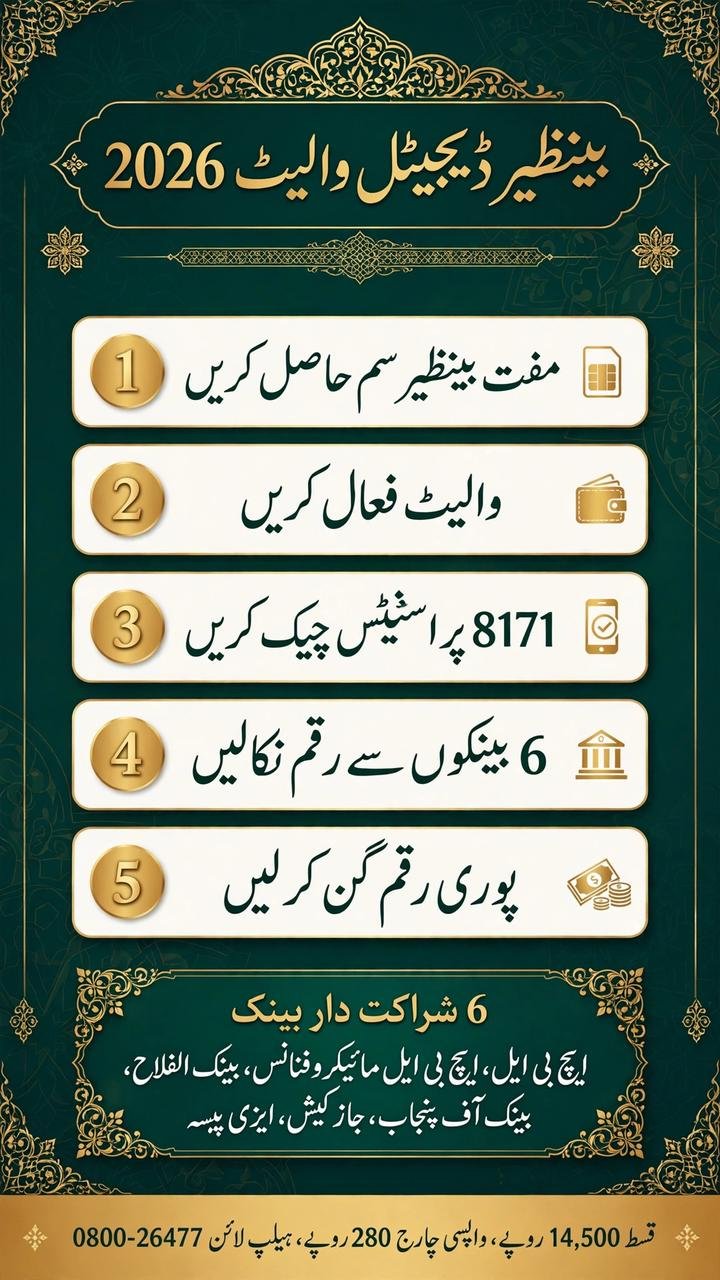
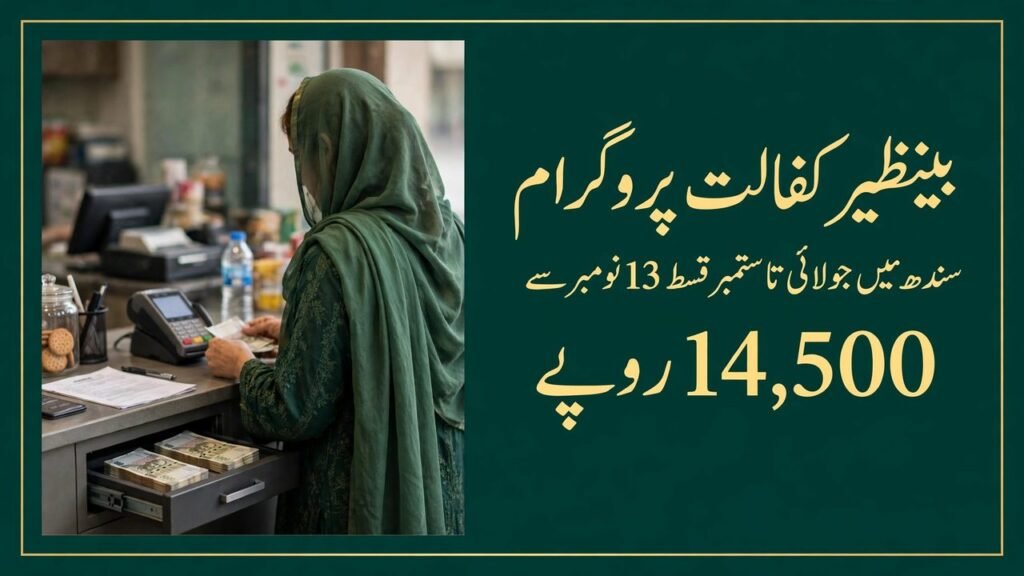
If you are a BISP beneficiary, the way you receive your payment is changing. BISP payments are moving to 100% digital wallet payments. That means your money will come to you through a digital wallet instead of only through the old cash payment points.
The BISP digital wallet 2026 system is being introduced so that beneficiaries can receive their payments in a safer and more organised way. You will not have to depend on an agent to collect your money, and you will have a clear record of the payment in your wallet.
If you have heard about the Benazir SIM, the partner banks, or the new payment method and you are not sure what it means for you, this guide explains it in simple words. It covers the Benazir SIM, the six partner banks and channels, how to activate your wallet, how to withdraw your money, what to do if your payment has not arrived, and how to check your payment status.
BISP Digital Wallet 2026 – Latest Details
Here are the main facts you should know first.
Detail
Information
Payment system
100% digital wallet payments
Wallet SIM
Free Benazir SIM
Cash withdrawal charge
Rs 280
Current qist
Rs 14,500
Current payment cycle
October–December 2026
First disbursement of the Oct–Dec 2026 cycle
Started 12 November 2026
Launch in Attock
14 November 2026
Payment system used
1LINK Payment Interoperability System
Payment status check
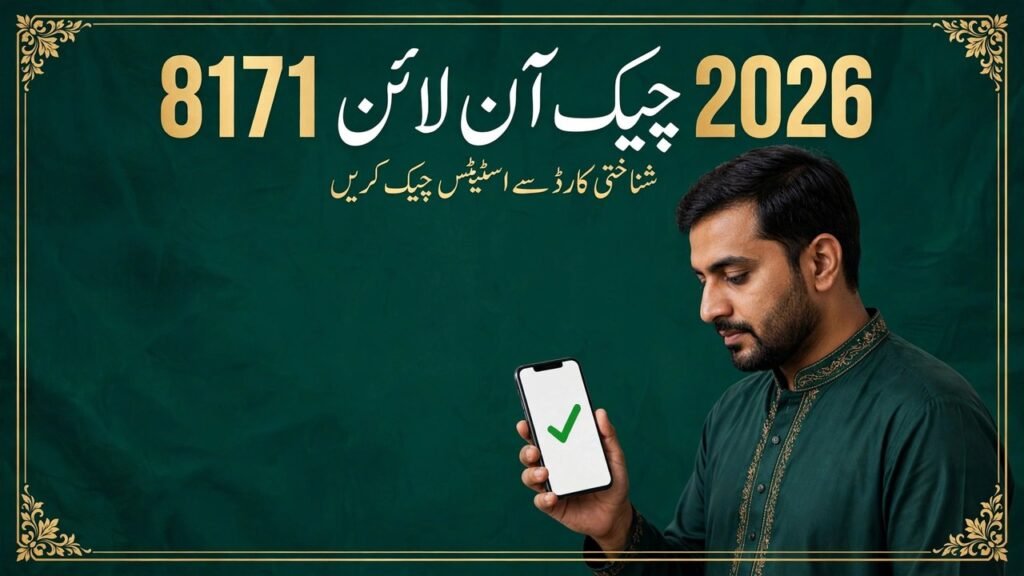
Send CNIC to 8171 or visit 8171.bisp.gov.pk
Helpline
0800-26477
The most important point is that BISP is moving towards 100% digital wallet payments. Your payment will be sent to your digital wallet, and you can then withdraw it through the approved partner banks and channels.
What Is the BISP Digital Wallet 2026?
The BISP digital wallet 2026 is the digital payment wallet through which BISP payments are now being made. Instead of receiving cash only at a payment point, your payment is sent to your wallet.
A digital wallet is a safe place where your payment is stored until you decide to withdraw it. You do not need to carry a large amount of cash from one place to another, and the payment is linked to you through your wallet.
The BISP digital wallet 2026 is connected to the free Benazir SIM. This SIM works as your wallet. When your payment is released, it is sent to the wallet linked with that SIM.
This is a big change for many families because, for a long time, BISP payments were mostly collected in cash from payment points. Now the system is moving to a digital method that gives beneficiaries more control over their own money.
Why Is BISP Moving to 100% Digital Wallet Payments?
BISP is moving to 100% digital wallet payments for a simple reason. The digital system makes it easier to send the payment directly to the beneficiary.
When the payment goes to your wallet, you can check it yourself. You can withdraw it when you need it, and you can count the full amount before leaving the withdrawal point.
This also helps reduce the problems that many beneficiaries faced at cash payment points. In the past, some people reported long waiting times and problems with deductions. A wallet-based system gives you a clearer way to receive and check your payment.
The move to 100% digital wallet payments does not mean that your payment has stopped. It means that the method of receiving it has changed. If you are eligible and your payment has been released, it will be sent to your digital wallet.
The Free Benazir SIM: Your Wallet
One of the most important parts of the BISP digital wallet 2026 system is the free Benazir SIM.
Beneficiaries get a free Benazir SIM, which works as the wallet. This means that the SIM itself is linked to your digital wallet. You do not need to buy a separate SIM or pay for a wallet account.
Here is what you need to know about the Benazir SIM:
Free SIM: The Benazir SIM is provided free of cost to beneficiaries.
Works as your wallet: The SIM works as your digital wallet for receiving BISP payments.
Linked to you: The wallet is linked to the beneficiary, so your payment goes to your wallet.
Keep it safe: You should keep your Benazir SIM safe, just as you keep your CNIC safe.
Do not share it: Do not give your SIM to another person or agent to collect your payment for you.
If someone asks you to pay for a Benazir SIM or for wallet activation, be careful. The SIM is free for beneficiaries. If you are asked to pay money for it, you should not pay and you should report the matter through the official helpline.
Six Partner Banks and Channels for BISP Digital Wallet 2026
Your BISP digital wallet can be used through six partner banks and channels. These are the approved places where you can withdraw your payment.
The six partner banks and channels are:
No.
Partner Bank / Channel
1
HBL
2
HBL Microfinance Bank
3
Bank Alfalah
4
Bank of Punjab
5
JazzCash
6
Easypaisa
These six partner banks and channels are part of the BISP digital wallet 2026 payment system. You can withdraw your payment through them.
This is helpful because you are not limited to one bank only. If one partner bank or channel is not available near you, you may be able to use another one from the list.
Remember the names of these six partners:
HBL: One of the partner banks for BISP wallet payments.
HBL Microfinance Bank: A partner bank in the BISP wallet system.
Bank Alfalah: A partner bank for wallet withdrawals.
Bank of Punjab: A partner bank for wallet withdrawals.
JazzCash: A partner channel for BISP wallet payments.
Easypaisa: A partner channel for BISP wallet payments.
Always use only these official partner banks and channels. Do not withdraw your payment through an unknown person, shop, or agent who is not part of the official system.
First Disbursement of the October–December 2026 Cycle
The first disbursement of the October–December 2026 cycle started on 12 November 2026. This was the start of payments for this cycle through the new digital wallet system.
The payment was launched in Attock on 14 November 2026 via the 1LINK Payment Interoperability System. This means that the wallet payment system is working through 1LINK, which connects the different partner banks and channels.
If your payment for the October–December 2026 cycle has been released, it will be sent through this system to your digital wallet.
The current qist for the October–December 2026 cycle is Rs 14,500. This is the amount you should receive if your payment has been released for this cycle.
If you hear about a different amount, check your status first through the official method before believing it. For this cycle, the current amount is Rs 14,500.
How the BISP Digital Wallet 2026 Works
The working of the BISP digital wallet 2026 is simple once you understand the steps.
Your payment is released by BISP.
The payment is sent to your digital wallet, which is linked to your free Benazir SIM.
You receive information that your payment has arrived.
You visit a partner bank or channel to withdraw the payment.
You count the full amount before leaving.
You do not need to visit a payment point every day to ask about your money. First check your status through 8171 or the official portal, and then go to withdraw it only when your payment has been released.
What the Wallet Does for You
Direct payment: Your payment comes directly to your wallet.
Clear record: You can know when your payment has arrived.
Choice of withdrawal point: You can use any of the six partner banks and channels.
Control over your money: You withdraw the money yourself.
This is why it is important to keep your Benazir SIM active and safe. Without it, you may face problems in receiving or withdrawing your payment.
How to Activate the BISP Digital Wallet
Activating your wallet is the first step before you can receive your payment through it. If your wallet is not activated, your payment may not reach you properly.
Follow these steps to activate your wallet:
Step 1: Get Your Free Benazir SIM
Beneficiaries receive a free Benazir SIM, which works as the wallet. Make sure you have received your SIM through the official process.
Do not buy a SIM from an agent who claims that it is a Benazir SIM. The official SIM is free.
Step 2: Keep Your CNIC Ready
Keep your original CNIC with you. Your wallet is linked to you, and your CNIC is used to confirm your identity.
Do not give your CNIC to an unknown person for wallet activation.
Step 3: Activate the Wallet Through the Official Process
Activate your wallet through the official BISP process. Follow the instructions given to you by the official BISP staff.
Do not let an agent activate the wallet for you in exchange for money. Activation is part of the official system, and you should not pay anyone for it.
Step 4: Confirm That Your Wallet Is Active
After activation, confirm that your wallet is active. You can check your payment status by sending your CNIC to 8171 or by visiting the official portal at 8171.bisp.gov.pk.
If your payment has been released, it will be sent to your active wallet.
Step 5: Keep Your SIM and Wallet Details Safe
Once your wallet is active, keep your SIM safe and do not share your wallet details with anyone.
If you lose your SIM or face a problem with activation, visit the nearest BISP office or call the helpline for guidance.
How to Withdraw Money from the BISP Digital Wallet
Once your payment has been released to your wallet, you can withdraw it through one of the six partner banks and channels.
Follow these steps:
Step 1: Check That Your Payment Has Been Released
Before going to withdraw your money, check your status. Send your CNIC to 8171 or visit 8171.bisp.gov.pk.
Go to withdraw only when your payment has been released. This will save you time and unnecessary travel.
Step 2: Visit a Partner Bank or Channel
Visit one of the six partner banks or channels:
HBL: Visit HBL for withdrawal.
HBL Microfinance Bank: Visit HBL Microfinance Bank for withdrawal.
Bank Alfalah: Visit Bank Alfalah for withdrawal.
Bank of Punjab: Visit Bank of Punjab for withdrawal.
Choose the partner that is nearest and most convenient for you.
Step 3: Withdraw Your Payment
Withdraw your payment through the partner bank or channel. Follow the official withdrawal process at that bank or channel.
Do not ask an agent to withdraw the money for you. Withdraw it yourself.
Step 4: Know the Cash Withdrawal Charge
The cash withdrawal charge is Rs 280. This is the charge for withdrawing cash from your wallet.
Your current qist is Rs 14,500. After the Rs 280 withdrawal charge, you should receive the remaining amount. Always count your money carefully.
Step 5: Count the Full Amount
Count the full amount before leaving the withdrawal point. This is very important.
If you receive less than the full amount, do not leave quietly. Note the details and report the deduction.
If Your Payment Is Not Received
Sometimes a beneficiary may check their status and find that the payment has not been received. If this happens to you, do not panic. Follow these steps:
Step 1: Check Your Status Again
First, check your payment status again. Send your CNIC to 8171 or visit 8171.bisp.gov.pk.
Make sure you have entered your CNIC correctly. A wrong CNIC number can give you the wrong result.
Step 2: Check Whether Your Wallet Is Active
If your wallet is not active, your payment may not have been sent to it. Make sure your Benazir SIM and wallet are active.
If there is a problem with activation, visit the nearest BISP office for help.
Step 3: Wait for Your District’s Turn
Payments are released in phases. If your district’s payment has not been released yet, you may need to wait for your turn.
Check your status again after some time instead of visiting the withdrawal point again and again.
Step 4: Visit the Nearest BISP Office
If your status shows that your payment should have been released but you have not received it, visit the nearest BISP tehsil office with your original CNIC.
Explain your problem clearly and ask for guidance.
Step 5: Call the Helpline
You can also call the official BISP helpline at 0800-26477 for help.
Do not call any other number that claims to be the BISP helpline. Only use the official helpline number.
How to Check Your BISP Digital Wallet Payment Status
You can check your payment status in two simple ways:
Method 1: Check by SMS
Send your CNIC: Send your CNIC number to 8171.
Read the reply: Read the reply carefully to know your payment status.
This method is useful if you do not have internet access.
Method 2: Check Online
Visit the portal: Visit 8171.bisp.gov.pk.
Enter your CNIC: Enter your CNIC number as asked on the portal.
Check your status: Read your payment and eligibility status on the screen.
Both methods are official. Use only these methods to check your status. Do not use a fake website or a link sent to you by an unknown person.
Count Your Money and Report Any Deduction
This is one of the most important parts of the BISP digital wallet 2026 system.
Your current qist is Rs 14,500. You should count the full amount when you withdraw it.
If someone deducts money from your payment without a valid reason, that is wrong. You should report it.
Here is what to do:
Count before leaving: Count the full amount before leaving the bank or withdrawal point.
Do not pay an agent: Do not pay any agent or middleman for your payment.
Report the deduction: If any deduction is made from your payment, report it to the helpline at 0800-26477.
Keep the details: Note the name of the place, the date, and the amount you received, so you can give clear information when you report it.
The only charge mentioned for cash withdrawal is Rs 280. Apart from this, no agent should take money from your Rs 14,500 qist.
If someone asks you for extra money to release your payment, do not pay. Report it to the helpline.
Common Mistakes to Avoid
Many beneficiaries face problems because of small mistakes. Here are some common mistakes to avoid:
Sharing your SIM: Do not give your Benazir SIM to anyone else.
Paying an agent: Do not pay an agent for wallet activation, payment release, or withdrawal.
Using fake links: Do not click on fake links that claim to check your BISP status.
Not counting your money: Always count your money before leaving the withdrawal point.
Believing rumours: Do not believe rumours about a different payment amount. For the October–December 2026 cycle, the current qist is Rs 14,500.
Visiting the wrong place: Only use the six partner banks and channels listed in this guide.
Avoiding these mistakes will help you receive your full payment safely.
What the BISP Digital Wallet Does Not Change
The move to the BISP digital wallet 2026 changes the payment method, but it does not change your eligibility.
You still need to be eligible for BISP to receive the payment. The wallet only changes how the payment reaches you.
It also does not change the current payment amount. For the October–December 2026 cycle, the amount remains Rs 14,500.
If you hear that the payment has increased to Rs 18,000, remember that Rs 18,000 from January 2027 is only planned/proposed. It is not the current payment. Do not expect Rs 18,000 for the October–December 2026 cycle.
Official BISP Information
For official information about the BISP digital wallet 2026, use only the official channels.
HBL, HBL Microfinance Bank, Bank Alfalah, Bank of Punjab
Partner channels
JazzCash, Easypaisa
Do not trust any other website, number, or agent who claims to be from BISP.
Conclusion
The BISP digital wallet 2026 is a new way of receiving BISP payments. BISP payments are moving to 100% digital wallet payments, and beneficiaries receive a free Benazir SIM which works as the wallet. The payment can be withdrawn through six partner banks and channels: HBL, HBL Microfinance Bank, Bank Alfalah, Bank of Punjab, JazzCash, and Easypaisa.
The first disbursement of the October–December 2026 cycle started on 12 November 2026, and it was launched in Attock on 14 November 2026 via the 1LINK Payment Interoperability System. The current qist for this cycle is Rs 14,500, and the cash withdrawal charge is Rs 280.
To use the system safely, activate your wallet through the official process, keep your Benazir SIM safe, withdraw your payment yourself from a partner bank or channel, and count the full amount before leaving. Check your status by sending your CNIC to 8171 or visiting 8171.bisp.gov.pk. If your payment is not received or if any deduction is made, report it to the helpline at 0800-26477.
The BISP digital wallet 2026 is meant to make payments safer and more direct. If you follow the official steps and avoid agents and fake links, you can receive your full payment without unnecessary problems.
Frequently Asked Questions (FAQs)
1. What is the BISP digital wallet 2026?
The BISP digital wallet 2026 is the digital wallet system through which BISP payments are now being made. Your payment is sent to your digital wallet, which is linked to your free Benazir SIM.
2. How do I activate my BISP digital wallet?
You can activate your wallet through the official BISP process after receiving your free Benazir SIM. Keep your original CNIC ready and follow the official instructions. Do not pay any agent for activation.
3. How can I withdraw money from my BISP digital wallet?
You can withdraw your payment through one of the six partner banks and channels: HBL, HBL Microfinance Bank, Bank Alfalah, Bank of Punjab, JazzCash, and Easypaisa.
4. What is the cash withdrawal charge for the BISP digital wallet?
The cash withdrawal charge is Rs 280.
5. Which banks and channels are partners for the BISP digital wallet 2026?
The six partner banks and channels are HBL, HBL Microfinance Bank, Bank Alfalah, Bank of Punjab, JazzCash, and Easypaisa.
6. How can I check my BISP digital wallet payment status?
You can check your status by sending your CNIC to 8171 or by visiting the official portal at 8171.bisp.gov.pk.
7. What should I do if my BISP payment is not received?
First check your status again through 8171 or the official portal. Make sure your wallet is active. If your payment should have been released but you have not received it, visit the nearest BISP tehsil office with your original CNIC or call the helpline at 0800-26477.
8. What should I do if someone deducts money from my payment?
Count the full amount before leaving the withdrawal point. If any deduction is made from your Rs 14,500 qist, report it to the helpline at 0800-26477.
9. Can I use the BISP digital wallet without the Benazir SIM?
The Benazir SIM works as the wallet, so you should keep your free Benazir SIM safe and active. If you have a problem with your SIM, visit the nearest BISP office or call the helpline at 0800-26477 for guidance.
10. Will I still receive Rs 14,500 in the October–December 2026 cycle?
Yes, the current qist for the October–December 2026 cycle is Rs 14,500, if your payment has been released.
11. When did the first disbursement of the October–December 2026 cycle start?
The first disbursement of the October–December 2026 cycle started on 12 November 2026, and it was launched in Attock on 14 November 2026 via the 1LINK Payment Interoperability System.
Shahzad Sahil is the editor of lahorejobs24.com, covering government jobs, private jobs, bank jobs, results and education news for Lahore and Punjab, with information verified from official sources.