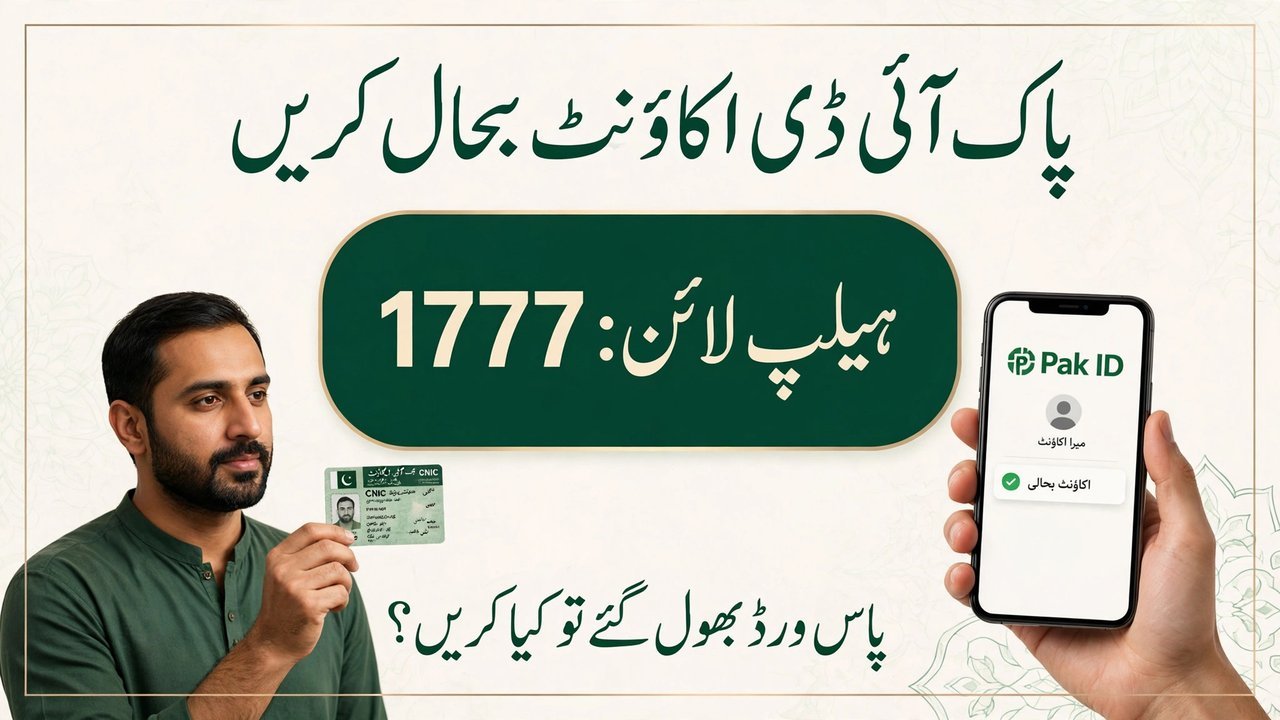
Many Pakistanis use the Pak ID mobile app to get their identity documents made without standing in long queues at a NADRA office. The app lets people apply for the renewal, modification, and replacement of their Computerised National Identity Card (CNIC) from their mobile phone. But some users run into a frustrating problem when they try to register on the app. They see a message saying that their CNIC is already linked to another account, and they cannot move forward. The National Database and Registration Authority (NADRA) has now shared the easy way to fix this problem. The guidance is simple: do not create a new account. Instead, recover the account that already exists. This article explains the complete NADRA Pak ID Account Recovery process in simple steps, so that you can get back into your account and continue using the Pak ID app without any trouble.
Detail
Information
Service
NADRA Pak ID Account Recovery
App
Pak ID mobile app
Problem
“CNIC already linked to another account” message during registration
Solution
Recover the existing account, do not create a new one
Recovery method
Forgot Password option, email code, and biometric verification
When a person opens the Pak ID app for the first time and tries to register, the app asks for the CNIC number. For some users, the app shows a message that the CNIC is already linked to another account. This usually happens because the person had already created an account on the Pak ID app in the past and has forgotten about it, or because they had registered with a different email address or mobile number earlier. Whatever the reason, the result is the same: the app does not allow a second registration with the same CNIC. Many users then think that they should simply make a new account with new details, but NADRA clearly says that this is the wrong step. The correct way is NADRA Pak ID Account Recovery, which means getting back into the account that is already linked to your CNIC.
Main cause: the CNIC was used before to create a Pak ID account, and the system remembers that old account.
Common reason: the user forgot the old password, or forgot which email address was used at the time of registration.
Wrong step: trying to create a brand-new account with the same CNIC, which the app will not allow.
Right step: using the recovery option on the login screen to regain access to the existing account.
Why it matters: one CNIC can only be linked to one Pak ID account, so recovery is the only way forward.
Who faces it: any Pak ID user who registered earlier and is now trying to sign in again or register afresh.
Why You Should Not Create a New Account
Creating a new account may seem like the quickest solution, but it does not work with the Pak ID system. The app is designed so that each CNIC is linked to a single account. If you try to register again with the same CNIC, the system will stop you with the same “already linked” message. Worse, repeated failed attempts can waste your time and add to your confusion. NADRA’s guidance makes the position clear: the existing account must be recovered. NADRA Pak ID Account Recovery is the official way to solve the problem, and it takes only a few minutes if you have access to your registered email and can complete the biometric check.
One CNIC, one account: the system allows only one Pak ID account per CNIC number.
Duplicate registration fails: a fresh registration attempt with the same CNIC will be rejected by the app.
Recovery is official: NADRA itself recommends the recovery route instead of a new registration.
Saves time: recovering the old account is faster than trying again and again to register anew.
Keeps your record safe: your earlier applications and details stay linked to the same account after recovery.
No extra fee announced: no fee for account recovery has been announced in the guidance.
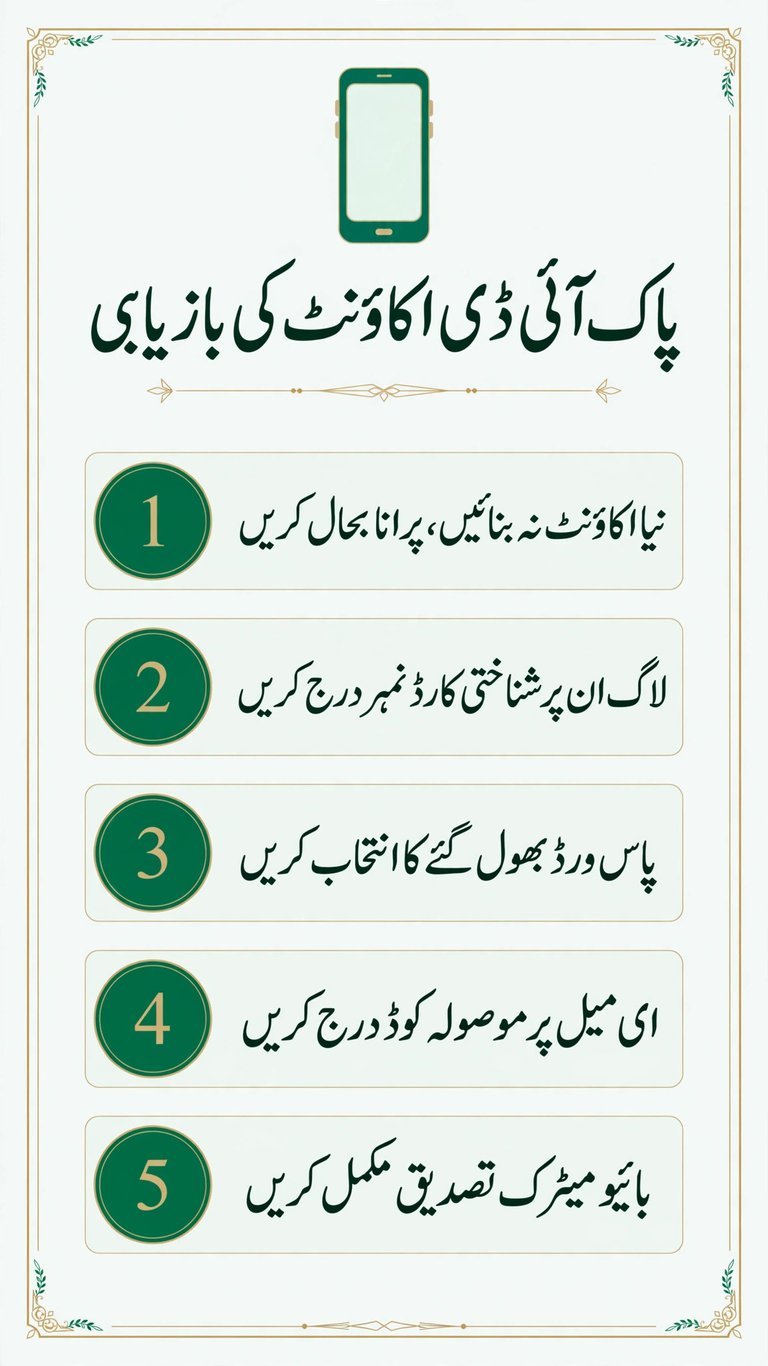
The recovery process shared by NADRA is simple and can be completed on your own mobile phone. You do not need to visit a NADRA office for this. Follow the steps below in order, and make sure you have your CNIC and access to the email address linked to your account before you start.
Open the Pak ID app: open the Pak ID mobile app on your phone and go to the login screen.
Enter your CNIC: enter your CNIC number on the login screen as asked by the app.
Select Forgot Password: tap on the “Forgot Password” option on the login screen to start the recovery.
Enter your email: enter the email address that is linked to your Pak ID account when the app asks for it.
Enter the 2FA code: NADRA will send a two-factor authentication (2FA) code to your email. Open your email, find the code, and enter it in the app.
Complete biometric verification: complete the biometric verification step as shown by the app to confirm that you are the real owner of the CNIC.
Access your account: once the verification is complete, you will be able to access your existing Pak ID account again.
After you regain access, you can set a new password and keep it safe for the future. It is a good idea to note down the email address you used, because that is the address where NADRA sends the recovery code. If you change your email address later, update it in your account so that recovery remains easy next time.
What Services Can You Use After Recovery?
Once your account is recovered, the full Pak ID app is open to you again. The app is NADRA’s official mobile platform for identity services, and it covers the main CNIC-related work that most people need. You can use it from home, without visiting an office, and track your application through the app.
CNIC renewal: apply for the renewal of your Computerised National Identity Card when it is about to expire.
CNIC modification: apply for changes or corrections in your CNIC details through the app.
CNIC replacement: apply for a replacement card if your CNIC is lost, damaged, or stolen.
Other identity services: use the other identity services offered through the Pak ID app as per your need.
Apply from home: submit your application from your mobile phone instead of visiting a NADRA centre.
Same account: all of these services become available again in the same recovered account linked to your CNIC.
A smooth recovery depends on a few small things. Keep the following points in mind before and during the process, so that you do not get stuck halfway.
Use the registered email: the 2FA code is sent to the email address linked to your account, so you must have access to that inbox.
Check the spam folder: if the code does not appear in your inbox, check the spam or junk folder of your email before trying again.
Enter the code carefully: type the 2FA code exactly as received, because a wrong code will not let you move to the next step.
Complete biometric verification: the biometric step confirms your identity, so follow the app’s instructions for it carefully.
Keep your CNIC ready: have your CNIC number in front of you when you start, so that you do not enter a wrong number.
Do not share your code: never share the 2FA code or your new password with anyone, because NADRA never asks for these details.
Use the official app only: carry out the recovery only in the official Pak ID app, and do not trust any other app or person claiming to recover your account.
Recovery Step
What to Do
Open the app
Open the Pak ID app and reach the login screen
Enter CNIC
Enter your CNIC number on the login screen
Forgot Password
Select the “Forgot Password” option
Enter email
Enter the email address linked to your account
Enter 2FA code
Enter the code sent to your email
Biometric verification
Complete biometric verification in the app
Access restored
Access your existing Pak ID account again
What to Do If the Problem Continues?
If you follow all the recovery steps and still cannot access your account, NADRA has given an official way to get help. You can contact the NADRA helpline at 1777 for continued problems with your Pak ID account. The helpline is the official support channel, so it is the right place to explain your problem and ask what to do next. When you call, keep your CNIC number ready and explain clearly at which step the recovery stopped working. Do not pay any agent or third party who offers to recover your account for money, because account recovery is done through the official app and the official helpline only.
Call the helpline: contact the NADRA helpline at 1777 if the recovery does not work.
Keep your CNIC ready: have your CNIC number ready when you explain the problem.
Explain the step: tell the helpline clearly at which step the recovery stopped.
Do not pay agents: never pay any person who promises to recover your Pak ID account for a fee.
Use official channels only: trust only the Pak ID app and the NADRA helpline for account recovery.
Conclusion
The “CNIC already linked to another account” message is a common problem for Pak ID users, but NADRA has made the solution clear and simple. Do not create a new account. Use NADRA Pak ID Account Recovery instead: open the Pak ID app, enter your CNIC, select “Forgot Password”, enter your email, enter the 2FA code sent to your email, and complete biometric verification. After that, your existing account is open again, and you can use it for CNIC renewal, modification, replacement, and other identity services. If the problem still continues, the NADRA helpline 1777 is the official place to get help. Keep your email access and your new password safe, so that you never lose access to your Pak ID account again.
What should I do if the Pak ID app says my CNIC is already linked to another account? Do not create a new account. Recover your existing account through the NADRA Pak ID Account Recovery process: enter your CNIC on the login screen, select “Forgot Password”, enter your email, enter the 2FA code sent to your email, and complete biometric verification.
How do I recover my Pak ID account? Open the Pak ID app, enter your CNIC on the login screen, select “Forgot Password”, enter your linked email address, enter the 2FA code sent to that email, and complete biometric verification. After that, you can access your account again.
Can I create a new Pak ID account with the same CNIC? No. One CNIC can only be linked to one Pak ID account. A new registration with the same CNIC will be stopped by the app, so recovery of the existing account is the correct way.
Where is the 2FA code for Pak ID account recovery sent? The 2FA code is sent to the email address linked to your Pak ID account. You must have access to that email inbox to complete the recovery.
What is biometric verification in Pak ID account recovery? Biometric verification is the step in the app that confirms you are the real owner of the CNIC. You complete it in the Pak ID app after entering the 2FA code, as shown by the app.
What can I do with the Pak ID app after recovering my account? After recovery, you can use the app for CNIC renewal, modification, replacement, and other identity services offered by NADRA through the Pak ID app.
What should I do if my Pak ID account recovery does not work? If the problem continues after following all the steps, contact the NADRA helpline at 1777 for help. Do not pay any agent or third party who offers to recover your account.
Shahzad Sahil is the editor of lahorejobs24.com, covering government jobs, private jobs, bank jobs, results and education news for Lahore and Punjab, with information verified from official sources.